Audio technology for beginners can feel overwhelming at first. There are speakers, headphones, amplifiers, and dozens of file formats to consider. But here’s the good news: you don’t need a degree in sound engineering to enjoy great audio.
This guide breaks down audio technology into simple concepts anyone can understand. Whether someone wants to build their first home audio setup or just understand why their music sounds different on various devices, this article covers the essentials. By the end, readers will know exactly what equipment matters, how sound quality works, and how to make smart choices for their first audio gear.
Table of Contents
ToggleKey Takeaways
- Audio technology for beginners involves understanding four key stages: capture, process, store, and playback.
- Headphones offer the best improvement per dollar and make an ideal first investment for anyone entering audio technology.
- Sound quality depends on measurable factors like frequency response, bit depth, sample rate, and signal-to-noise ratio.
- High-quality lossy formats (MP3 at 320kbps or AAC at 256kbps) sound excellent for most listeners and save storage space.
- Start with one quality component and a simple setup, then expand your audio gear as your preferences develop.
- Test equipment before buying or choose retailers with good return policies, since sound preferences vary between individuals.
What Is Audio Technology?
Audio technology refers to the tools and systems that capture, process, store, and play back sound. It covers everything from the microphone recording a podcast to the earbuds playing music during a morning commute.
At its core, audio technology converts sound waves into electrical signals. These signals can then be stored as digital files or analog recordings. When someone presses play, the process reverses, electrical signals become sound waves again through speakers or headphones.
Audio technology falls into a few main categories:
- Recording equipment: Microphones, audio interfaces, and digital recorders capture sound
- Processing tools: Software and hardware that edit, mix, and enhance audio
- Playback devices: Speakers, headphones, and amplifiers that reproduce sound
- Storage formats: The digital and analog methods for saving audio files
For beginners, understanding this basic chain, capture, process, store, playback, makes everything else easier to grasp. Each piece of audio technology fits somewhere in this chain, and knowing where helps people make better buying decisions.
Essential Audio Equipment You Should Know
Audio technology for beginners starts with knowing the key equipment types. Here’s what matters most.
Headphones and Earbuds
Headphones come in three main styles: over-ear, on-ear, and in-ear (earbuds). Over-ear headphones typically offer the best sound quality and comfort for long listening sessions. In-ear options provide portability and noise isolation. The choice depends on how and where someone listens.
Speakers
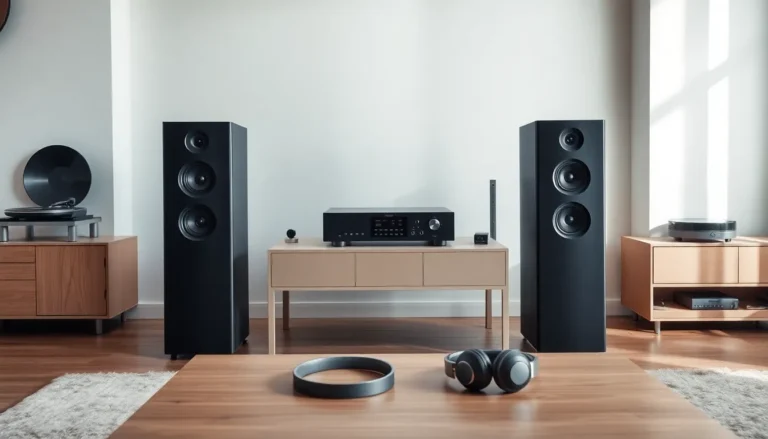
Speakers range from small Bluetooth units to full home theater systems. Bookshelf speakers work well for desktop setups and small rooms. Floor-standing speakers suit larger spaces. Soundbars offer a simple upgrade over TV speakers without the complexity of a full surround system.
Amplifiers and Receivers
Amplifiers boost audio signals so speakers can produce sound at higher volumes. Receivers combine amplification with input switching and often include radio tuners. Most beginners start with powered speakers that have built-in amplifiers, which simplifies the setup.
Digital-to-Analog Converters (DACs)
A DAC converts digital audio files into analog signals. Every phone and computer has a built-in DAC, but external DACs often deliver cleaner, more accurate sound. They’re a popular upgrade for people who want better audio from their existing devices.
Microphones
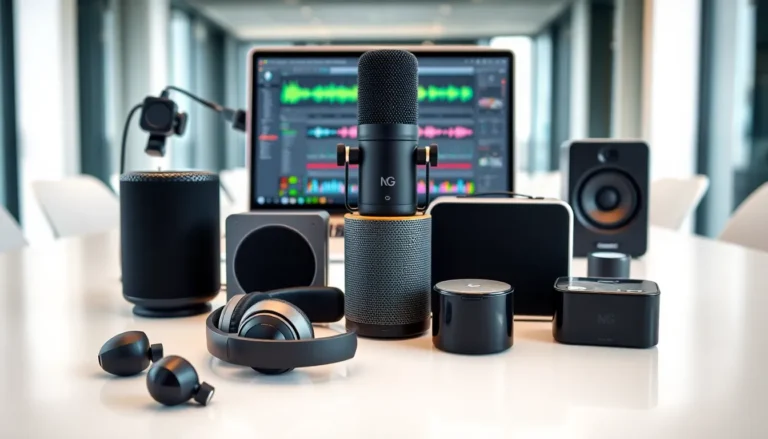
For those interested in recording, microphones are essential audio technology. USB microphones work great for podcasting and video calls. XLR microphones offer better quality but require an audio interface to connect to a computer.
Understanding Sound Quality Basics
Sound quality in audio technology depends on several measurable factors. Knowing these helps beginners evaluate equipment and spot marketing hype.
Frequency Response
Frequency response describes the range of sounds a device can reproduce. Human hearing spans roughly 20Hz to 20,000Hz. Good headphones and speakers cover this entire range. A flat frequency response means the device doesn’t artificially boost or cut certain frequencies, it plays the audio as recorded.
Bit Depth and Sample Rate
These terms apply to digital audio. Bit depth affects dynamic range (the difference between quiet and loud sounds). Sample rate determines how many times per second the audio is measured. CD quality uses 16-bit depth at 44.1kHz. High-resolution audio goes higher, 24-bit at 96kHz or beyond.
Does higher always mean better? Not necessarily. Most listeners can’t distinguish between CD quality and high-resolution audio in blind tests. But having that extra data doesn’t hurt.
Signal-to-Noise Ratio
This measures how much wanted sound (signal) exists compared to unwanted sound (noise). Higher numbers are better. A ratio of 100dB or above indicates very clean audio with minimal background hiss.
Impedance
Impedance affects how headphones interact with amplifiers. Low-impedance headphones (under 50 ohms) work fine with phones and laptops. High-impedance headphones (250+ ohms) need dedicated amplifiers to reach their full potential.
Common Audio Formats and File Types
Audio technology uses various file formats, each with trade-offs between quality and file size.
Lossless Formats
Lossless formats preserve all original audio data:
- FLAC: The most popular lossless format. Compresses files without losing quality. Widely supported.
- WAV: Uncompressed audio used in professional settings. Large file sizes but universal compatibility.
- ALAC: Apple’s lossless format. Works seamlessly with iTunes and Apple devices.
Lossy Formats
Lossy formats remove some audio data to reduce file size:
- MP3: The classic compressed format. At 320kbps, most people can’t tell the difference from lossless. Extremely compatible.
- AAC: Better quality than MP3 at similar file sizes. Used by Apple Music and YouTube.
- OGG: Open-source format with good compression. Used by Spotify.
Which Format Should Beginners Choose?
For most listeners, high-quality lossy formats (MP3 at 320kbps or AAC at 256kbps) sound excellent. Lossless makes sense for audiophiles with high-end equipment or for archiving music collections. Streaming services handle format choices automatically, Spotify uses OGG, Apple Music uses AAC, and Tidal offers FLAC for premium subscribers.
Storage space and device compatibility often matter more than theoretical quality differences for beginners exploring audio technology.
Tips for Choosing Your First Audio Setup
Selecting audio technology for beginners doesn’t require spending thousands of dollars. Smart choices at modest budgets can deliver impressive results.
Set a Realistic Budget
Great audio doesn’t demand a fortune. Quality entry-level headphones cost between $50 and $150. Decent powered speakers start around $100 for a pair. Spend based on how much time audio enjoyment takes up each day, more listening hours justify higher investment.
Prioritize One Good Component
Instead of buying everything at once, invest in one quality piece. For most people, that’s headphones. They offer the biggest improvement per dollar and work with existing devices immediately. Upgrade speakers, DACs, and other gear later.
Match Equipment to Use Cases
Think about real-world scenarios:
- Commuting: Noise-canceling earbuds or headphones
- Desktop listening: Bookshelf speakers or open-back headphones
- Home theater: Soundbar or receiver with surround speakers
- Recording: USB microphone and monitoring headphones
Read Reviews from Multiple Sources
Product specs tell only part of the story. User reviews reveal real-world performance and durability issues. Audio-focused sites like Head-Fi, AudioScienceReview, and What Hi-Fi offer detailed measurements and comparisons.
Try Before Buying When Possible
Sound preferences vary wildly between individuals. Some people love heavy bass: others prefer neutral accuracy. Visiting audio stores to test equipment, or buying from retailers with good return policies, prevents costly mistakes.
Start Simple, Expand Later
Audio technology for beginners works best as a gradual journey. A straightforward setup with quality components beats a complex system full of compromises. As ears develop and preferences become clear, adding new gear makes more sense.