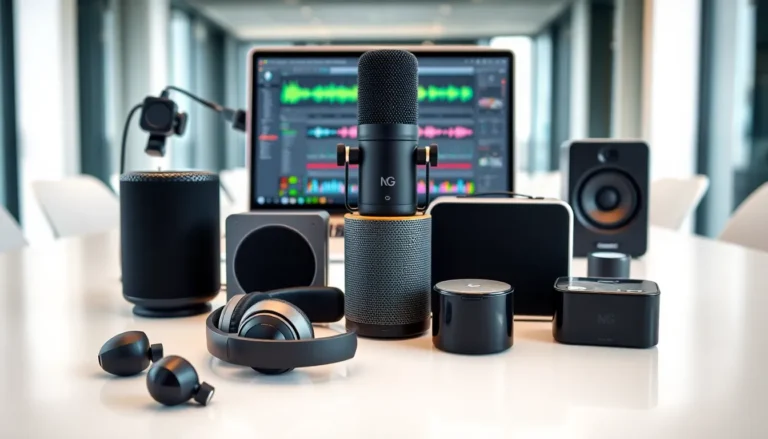

Gadgets for beginners don’t need to be intimidating. In fact, the right device can make everyday tasks easier, more enjoyable, and even a little fun. Whether someone wants to control their home with voice commands or finally upgrade from a flip phone, modern technology offers plenty of accessible options.
This guide breaks down what makes gadgets beginner-friendly, which devices deserve a spot on the shopping list, and how to avoid the stumbling blocks that trip up first-time users. The goal here is simple: help anyone feel confident picking up, setting up, and actually using new tech.
Table of Contents
ToggleKey Takeaways
- Gadgets for beginners should feature simple setup, intuitive interfaces, strong customer support, and affordable pricing.
- Smartphones and tablets are the most practical starting devices, combining communication, entertainment, and productivity in one.
- Smart home devices like speakers, plugs, and displays offer a low-risk introduction to connected technology.
- Master one gadget at a time and use built-in tutorials to build confidence before adding more devices.
- Always enable software updates and security features like two-factor authentication to protect your data.
- Don’t give up too quickly—most gadget challenges resolve with patience, YouTube tutorials, or customer support.
What Makes a Gadget Beginner-Friendly
Not all gadgets are created equal, especially for those just starting out. A beginner-friendly gadget shares a few key traits that separate it from more advanced devices.
Simple Setup Process
The best gadgets for beginners require minimal assembly and come with clear instructions. Many devices now offer guided setup through companion apps. Users follow step-by-step prompts on their phone screen, no technical manual required.
Intuitive Interface
Beginner-friendly gadgets use straightforward menus and recognizable icons. Touchscreens with large buttons, voice control options, and consistent layouts help users find what they need quickly. If a device requires hours of tutorials before basic use, it probably isn’t ideal for newcomers.
Strong Customer Support
Reputable brands provide accessible help resources. This includes video tutorials, live chat support, and active online communities. When something goes wrong (and it will, at some point), having reliable support makes a real difference.
Affordability
Beginners don’t need flagship models. Entry-level gadgets often deliver 80% of the functionality at half the price. Starting with budget-friendly options lets users learn without worrying about damaging an expensive device.
Essential Gadgets Every Beginner Should Consider
With thousands of gadgets on the market, narrowing down the options helps beginners focus on devices that offer real value. Here are two categories worth exploring first.
Smartphones and Tablets
Smartphones remain the most practical gadgets for beginners. They combine communication, entertainment, and productivity in one pocket-sized device. For newcomers, Android and iOS both offer user-friendly experiences, though iOS tends to have a simpler learning curve.
When choosing a smartphone, beginners should prioritize:
- Battery life – A device that lasts all day without charging reduces frustration
- Screen size – Larger displays make reading and typing easier
- Storage space – At least 64GB prevents running out of room for apps and photos
- Camera quality – Even entry-level phones now take impressive pictures
Tablets work well as stepping stones for those who find smartphones too small. The larger screen makes reading, video calls, and app navigation more comfortable. Apple’s iPad and Samsung Galaxy Tab series both offer excellent beginner-friendly options.
Smart Home Devices
Smart home gadgets for beginners provide an easy introduction to connected technology. Smart speakers like Amazon Echo or Google Nest respond to voice commands, answer questions, play music, and control other devices.
Smart plugs offer another low-risk starting point. Users plug them into regular outlets, then control lamps or appliances through an app or voice command. No wiring, no complicated installation.
Smart displays combine the features of a speaker with a touchscreen. They show recipes, make video calls, and display weather forecasts. For visual learners, seeing information rather than just hearing it improves the experience significantly.
Tips for Learning to Use New Gadgets
Buying gadgets for beginners is the easy part. Learning to use them effectively takes a bit more effort. These strategies help new users build confidence faster.
Start With One Device
Resist the urge to buy everything at once. Master one gadget before adding another. This prevents overwhelm and builds a foundation of skills that transfer to other devices.
Use Built-In Tutorials
Most modern gadgets include tutorial modes or guided tours. These walk users through basic functions during initial setup. Don’t skip them, even if they seem tedious, they save time later.
Watch YouTube Videos
Video tutorials cover almost every gadget on the market. Searching for the device name plus “beginner tutorial” usually surfaces helpful content. Watching someone perform an action often clicks faster than reading instructions.
Practice Daily
Consistent use builds familiarity. Spending 10-15 minutes each day exploring a new gadget creates muscle memory and reduces anxiety about trying new features.
Ask for Help
Family members, friends, and online forums all offer valuable support. Most people enjoy sharing their tech knowledge. There’s no shame in asking questions, everyone started somewhere.
Common Mistakes Beginners Should Avoid
New gadget owners often stumble in predictable ways. Recognizing these pitfalls ahead of time helps beginners sidestep frustration.
Ignoring Software Updates
Updates fix bugs, patch security holes, and add new features. Skipping them leaves devices vulnerable and missing improvements. Enable automatic updates when possible.
Overcomplicating Things
Beginners sometimes assume gadgets require complex setups. In reality, most devices work out of the box with minimal configuration. Start with default settings, then customize later as comfort grows.
Buying Without Research
Impulse purchases often lead to regret. Reading reviews, watching comparison videos, and checking return policies before buying prevents wasted money on unsuitable gadgets.
Neglecting Security
Weak passwords and skipped security features put personal data at risk. Beginners should enable two-factor authentication, use strong passwords, and understand basic privacy settings on all their gadgets.
Giving Up Too Quickly
Frustration happens. A gadget might seem confusing at first, but most challenges resolve with patience. Before returning a device, try troubleshooting guides, support chat, or a quick YouTube search. Often the solution is simpler than expected.